VAHTIPERHE – CAM, LIGHT & GATE
Your camera can do more. Lights and a gate can work without a camera.
A local Android application for camera monitoring, motion recording and compatible Wi-Fi relay control. Finnish store name: Vahtiperhe – Pihavahti.

One-time purchase. Check the current price in Google Play. Hardware sold separately. No app subscription.
User guide →Extend your camera
Watch live video, analyse motion and record events on your Android device. Set analysis exclusions and recording timing. Motion can switch compatible lights on during your chosen time interval.
Lights, with or without a camera
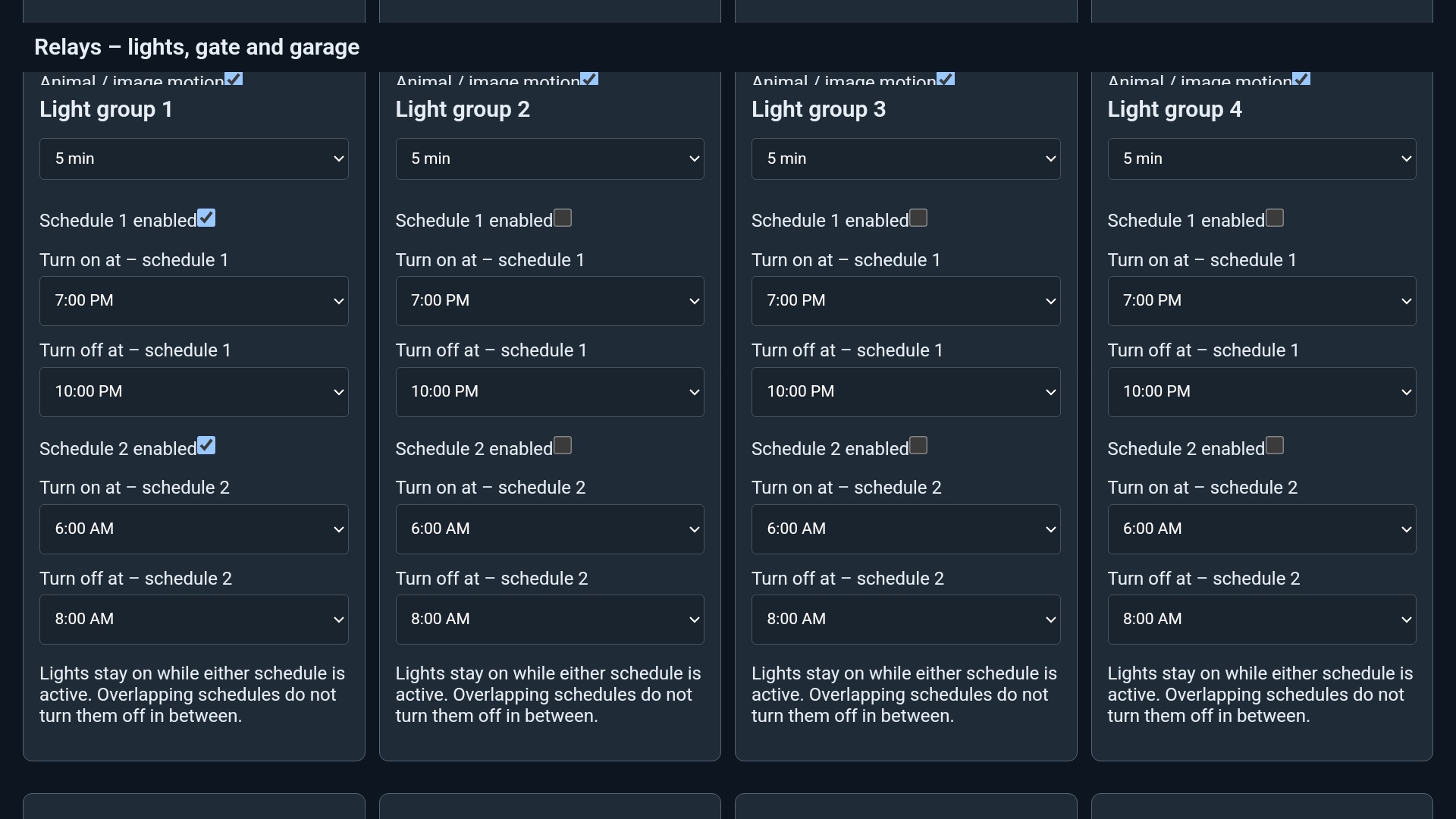
Switch lights manually or use two scheduled intervals, for example evening and morning. Camera-based lighting also has a separate motion schedule and a switch-off delay. A camera is not required for manual control or timed lighting.
Gate and garage control
Send a manual control pulse to a compatible relay, including when no camera is connected. For automatic opening, enter an authorised plate and gate-specific access rights. The detailed camera stream supplies plate images.
Plate recognition and approach verification
Version 2.71 retries unclear readings with grayscale, enlargement and crops. Automatic opening requires motion associated with the same trigger target and a plate that grows in two different images. It also requires enabled automatic control, verified wiring and a separate OPEN input on the gate controller. A parked background plate or a manually corrected result does not grant automatic access.
Optional character alternatives
You may allow one O/0, I/1, B/8 or Z/2 alternative per authorised plate. It is off by default and requires acknowledgement of a warning. It can increase false matches; ambiguous matches are rejected and approach checks remain required. Not every plate can be read: image size, angle, lighting and font matter. Use manual control when recognition fails or a visitor arrives.
Compatible equipment
Use a compatible Android phone or tablet. Camera functions require H.264 RTSP over TCP; H.265 is not supported. The substream is used for live view, motion analysis and recording; the main stream supplies detailed plate images. Shelly 1 Gen3 is our example relay. Control uses a local Shelly Gen2/Gen3-style Switch RPC interface, channel 0; not every Wi-Fi relay is compatible. Follow the equipment manufacturer’s setup and wiring instructions.
Local operation and remote access
Images, recordings, plate results and settings stay on your device. Monitoring and relay control need no cloud account or continuous Internet connection. Google Play purchases, installation and updates are separate services. The Android device, camera and relays must be reachable on the same local network. Access from outside requires your own secure connection, such as a VPN. There is no built-in cloud remote-access service.
Before you buy
Check Android compatibility in Google Play and read the guide. Camera, relays and gate hardware are purchased separately. Continuous monitoring uses a persistent notification; Android power saving and device performance can affect background operation. Test recording and control on your equipment. The app sends a command but does not confirm the gate position. Manual control with a single pulse input does not support automatic opening.
Example images
Illustrative example: the green frame indicates accepted motion, not animal-species recognition. Gate illustrations do not guarantee plate recognition.
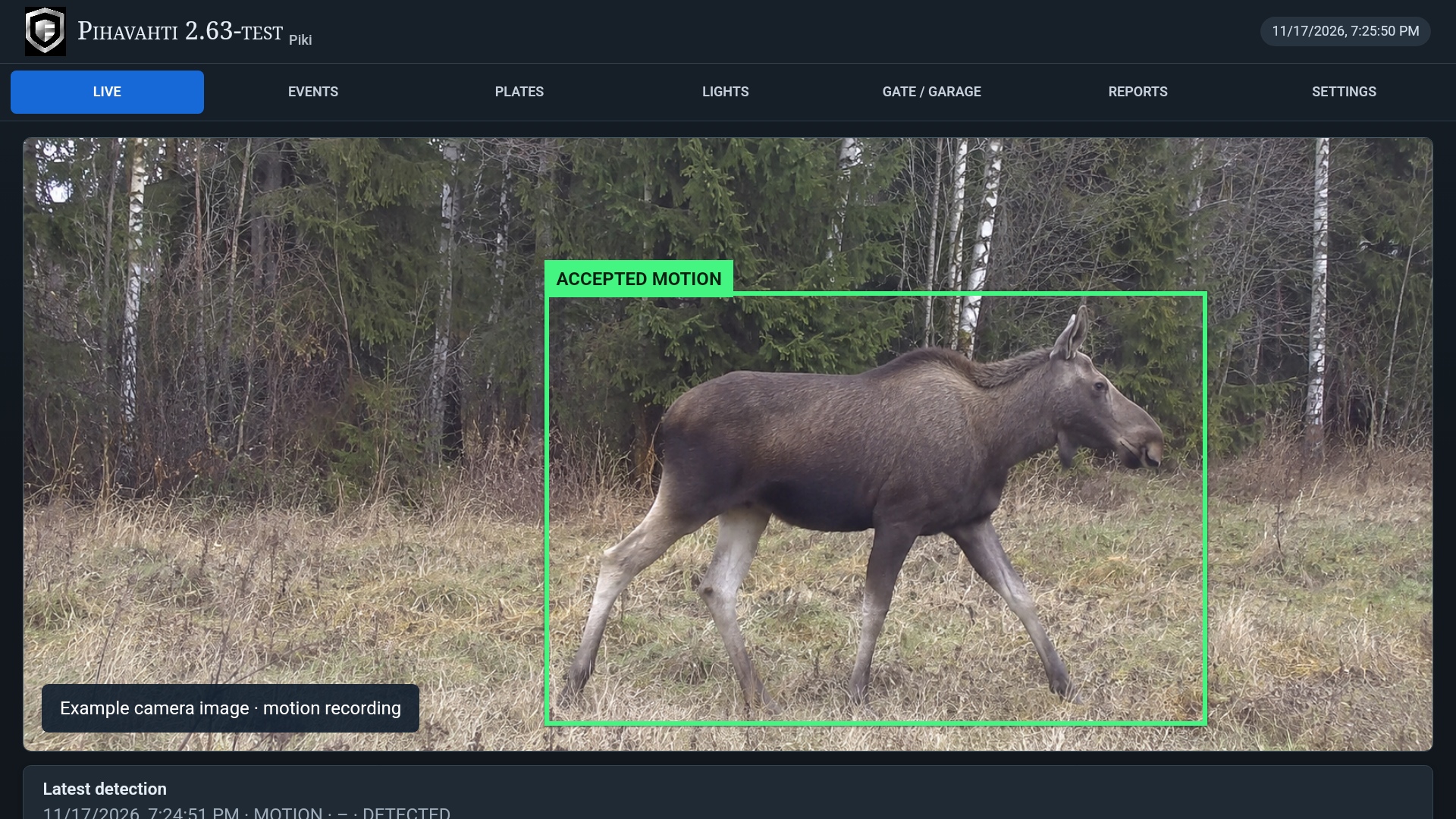
Motion and recording
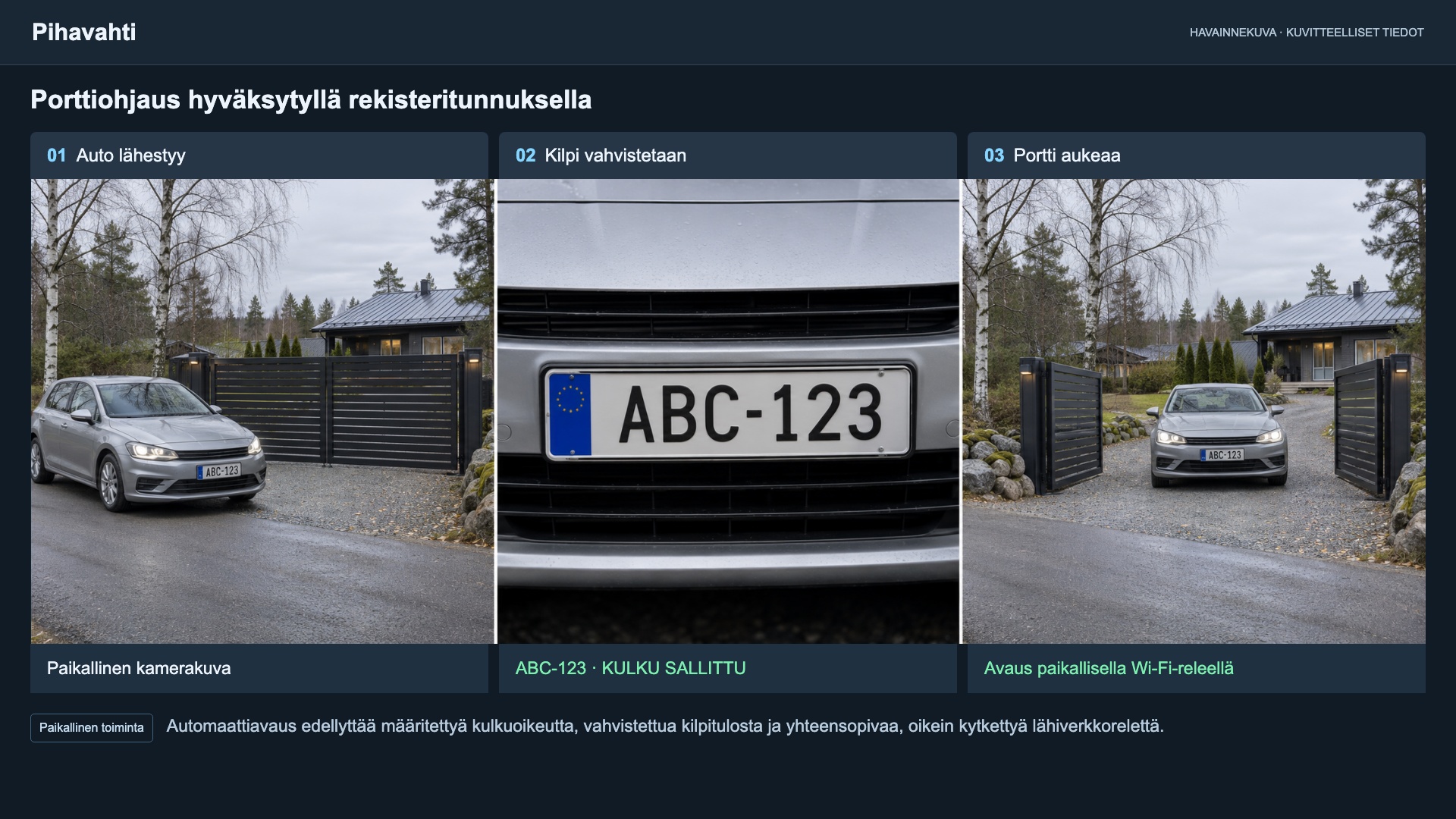
Gate control and plate recognition